
This guide demonstrates how to establish a unified, full-stack preview environment for every GitHub Pull Request (PR) by integrating Vercel Preview Deployments with Signadot Sandboxes. The workflow leverages GitHub Actions to automatically build and push a PR-specific backend container image, deploy a corresponding Signadot Sandbox in Kubernetes, and then configure the Vercel frontend using that sandbox's unique URL (NEXT_PUBLIC_API_URL) via a secure server-side proxy. This setup creates an instantaneous, hot-reload-style feedback loop where reviewers can validate combined frontend and backend changes using a single, dedicated URL pair for the life of the PR.
Goal: Get a hot‑reload‑style workflow where every backend change is previewable as quickly as frontend changes on Vercel.
Frontend developers are used to instant feedback: save a file, and the browser updates almost immediately. Vercel previews bring a similar experience to pull requests, where every push spins up a fresh frontend URL. But the backend usually lags behind: changes wait for a staging deploy, reviewers test against stale APIs, and full‑stack PRs become slow to validate.
This tutorial shows how to pair Vercel Preview Deployments with Signadot Sandboxes so that:
NEXT_PUBLIC_API_URL and a secure API proxy.Time required: 45–60 minutes
Repository: https://github.com/signadot/examples/tree/main/vercel-preview-signadot-sandoxes-cicd-connection
Stack note: The sample app uses a Next.js frontend and a Node/Express backend, but the workflow applies to any framework that can read build‑time environment variables and expose a stable Kubernetes deployment for Signadot to clone.
NEXT_PUBLIC_API_URL, and route calls through a server‑side proxy that keeps the Signadot API key private.Result: a full‑stack, hot‑reload‑style workflow where every push to a PR spins up matching frontend and backend changes, with instant backend previews tied to the Vercel preview you already use.
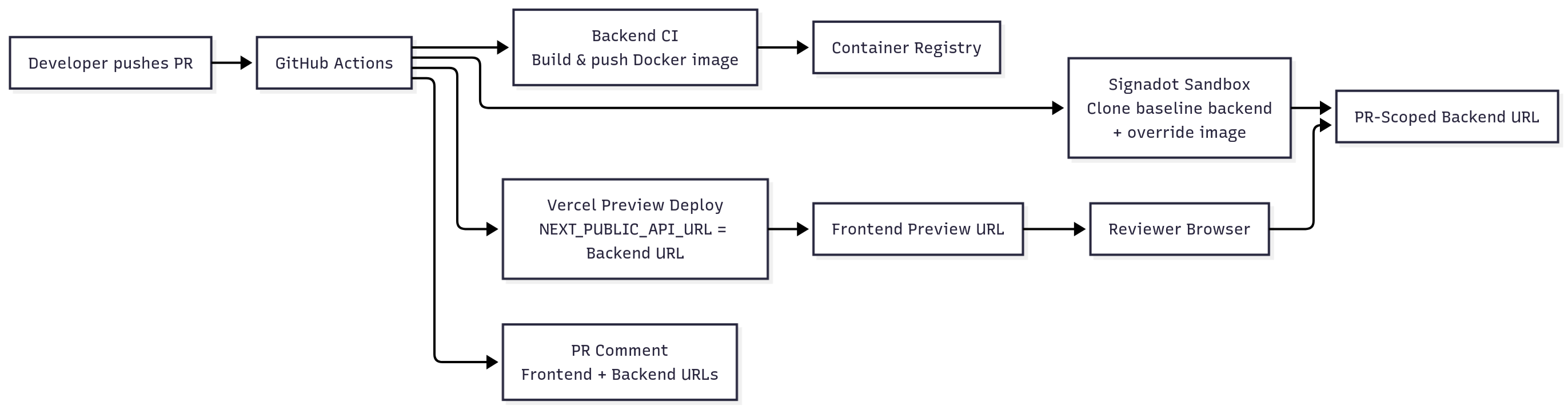
next.js) and backend (express) repos, or a monorepoTip: Ensure the Signadot Operator is installed ahead of time. The frontend workflow only verifies the operator; it does not install it.
In this section you prepare the baseline backend environment that Signadot will clone for each PR. This is a one‑time setup per cluster.
Install the operator on your target Kubernetes cluster (for example, an EKS cluster used by your backend):
Checkpoint: Operator ready
Run:
Expected: At least one signadot-operator pod is in Running state.
The backend (backend/) is a minimal Express server with Kubernetes manifests under backend/k8s/.
backend/k8s/deployment.yaml
Checkpoint: Baseline backend healthy
Run:
Expected: AVAILABLE replicas is at least 1.
For a local quick check (optional):
You should see a JSON response with status: "healthy".
backend/sandbox.yaml)backend/sandbox.yaml defines how Signadot creates a PR‑scoped backend sandbox from the baseline deployment:
Key ideas:
name: is replaced with a PR‑specific identifier (for example, backend-pr-42).value: is replaced with the actual image reference built by backend CI (for example, docker.io/alice/vercel-signadot-backend:branch-sha).defaultRouteGroup exposes an instant backend preview URL such as:
https://backend-api--backend-pr-42.sb.signadot.comThis is the URL we will wire into NEXT_PUBLIC_API_URL for a hot‑reload‑style backend experience.
With the baseline environment ready, configure the sample app to take advantage of it.
NEXT_PUBLIC_API_URLThe frontend (Next.js 13+) reads its backend URL from NEXT_PUBLIC_API_URL and automatically proxies sandbox calls through a server‑side route.
frontend/src/lib/config/api.ts
frontend/src/app/api/proxy/[...path]/route.ts
This route keeps the Signadot API key server‑side while still giving the frontend an instant backend preview:
All sandbox requests go through /api/proxy/*, so SIGNADOT_API_KEY is never exposed in client‑side bundles.
Example component usage
Checkpoint: Local full‑stack dev
8080.NEXT_PUBLIC_API_URL=http://localhost:8080.Now that the baseline environment and app configuration are in place, wire them together using GitHub Actions. The goal is to automate the fast‑feedback loop for every PR.
File: backend/.github/workflows/ci.yml
Purpose: build, tag, and push backend Docker images so Signadot sandboxes can pull PR‑specific artifacts. This workflow does not deploy to the cluster or install the operator; those are one‑time baseline steps from the previous section.
Highlights:
REGISTRY using DOCKERHUB_USERNAME / DOCKERHUB_TOKEN.latest on the default branch.sandbox.yaml.Secrets required in the backend repo:
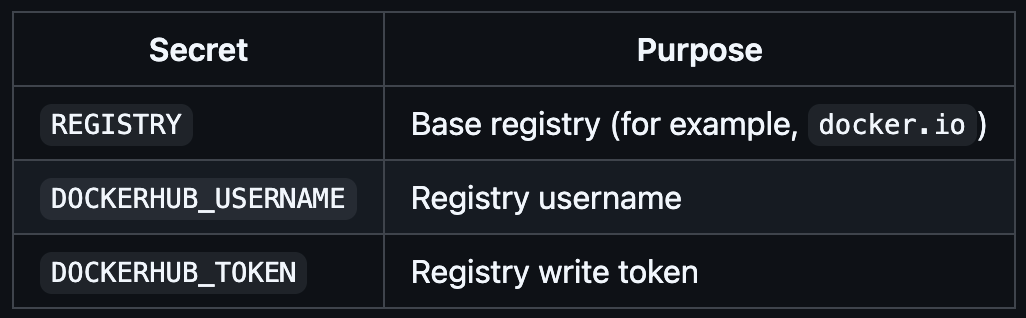
Checkpoint: Image available for sandboxes
vercel-signadot-backend, matching the branch and SHA for your PR.File: frontend/.github/workflows/vercel-preview.yml
Triggered on pull_request, this workflow creates a PR‑scoped backend sandbox and deploys a Vercel preview wired to it:
sandbox.yaml).kubectl for the cluster where the baseline backend and Signadot operator run.backend/sandbox.yaml with the cluster name and backend image reference.backend-api URL.NEXT_PUBLIC_API_URL set to the sandbox endpoint and SIGNADOT_API_KEY as a server‑side secret.Key excerpt:
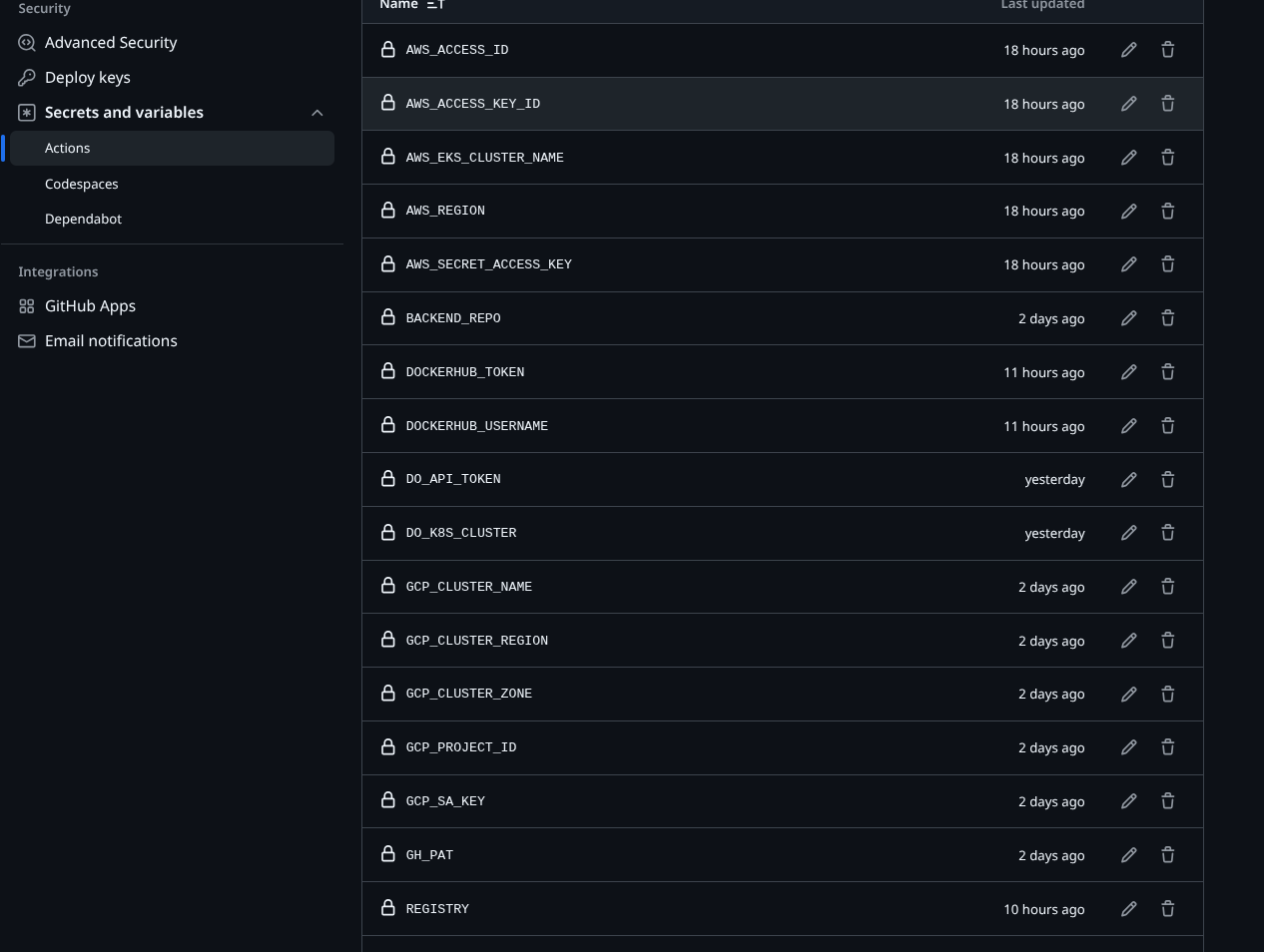
Secrets required in the frontend repo:

Note: This workflow uses the Signadot CLI (signadot sandbox apply/get). You can substitute signadot/sandbox-action if desired; the logic is equivalent.
Checkpoint: Full‑stack preview workflow
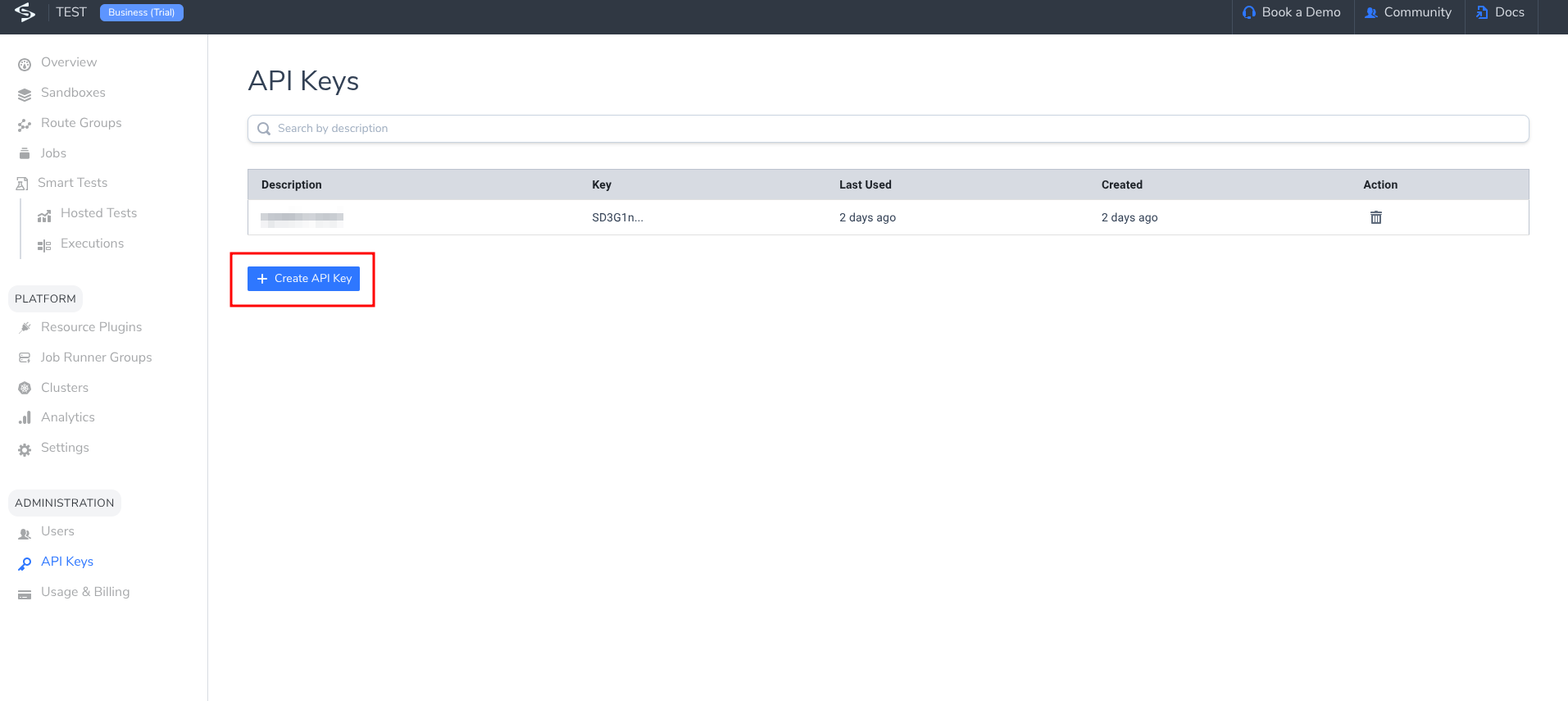
If you need a visual reference for secrets and API keys, see:
This section walks through what it feels like to use the workflow, not just configure it.
BackendStatus component)./health response).main or master.Checkpoint: Workflows running
Once the workflows complete:
vercel.app URL.*.sb.signadot.com or *.preview.signadot.com URL.These two URLs represent your end‑to‑end instant preview for that PR.
/health)./api/proxy/… on the Vercel domain.https://backend-api--backend-pr-<PR_NUMBER>.sb.signadot.com/healthCheckpoint: Instant backend preview
To feel the fast‑feedback loop:
status message or add a new field to /health).Checkpoint: Hot‑reload‑style full‑stack update
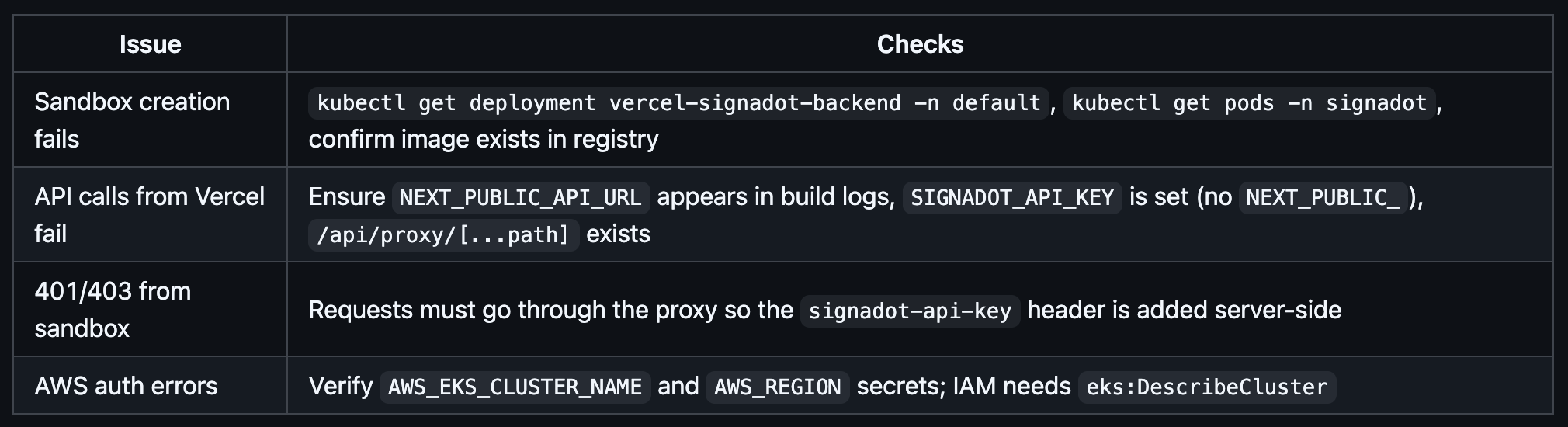
To debug locally:
By pairing Vercel previews with Signadot sandboxes, you:
From here you can:
Get the latest updates from Signadot