Autonomous Closed-Loop Agent Workflows with Signadot & Codex
- Baseline environment: Signadot account, Signadot CLI v1.4.0+, and HotROD baseline (cluster, operator, app) completed via Closed-Loop Verification with Cursor and Signadot or Closed-Loop Microservices Validation with Claude Code & Signadot.
- Local connect:
signadot local connectis running and healthy before Codex; see Local development. - Toolchain: Go 1.21+,
grpcurl, andjq. - Node.js with
npx: Used to install Agent Skills (npx skills add …). - Codex: Codex CLI installed and signed in with ChatGPT.
Overview
Testing local microservice changes against a shared Kubernetes cluster often involves a mess of kubectl port-forward commands, brittle mocks, or waiting for CI/CD pipelines just to verify a one-line change.
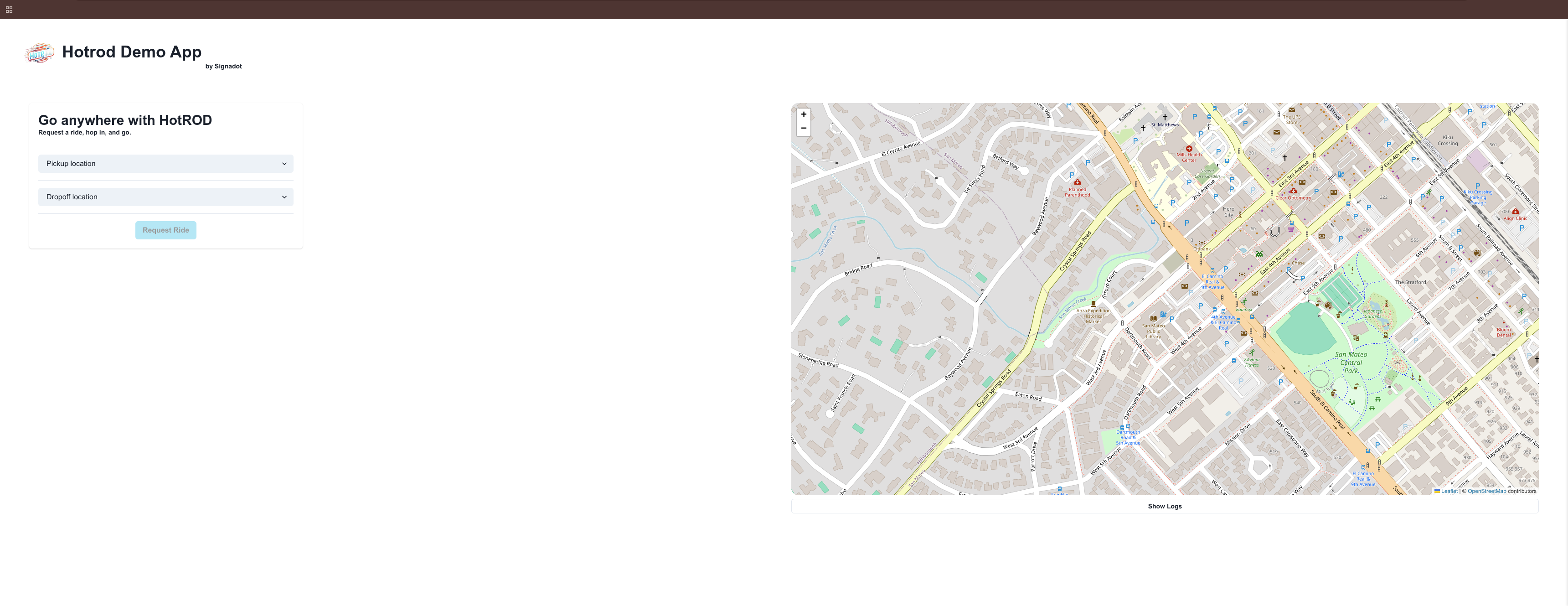
In this tutorial, we will establish an autonomous closed-loop workflow using Signadot and Codex (the OpenAI CLI coding agent) with two complementary integrations: Signadot MCP, which lets the agent discover clusters, workloads, and sandboxes through the Signadot control plane, and the signadot-validate skill, which drives a repeatable validation loop against real cluster dependencies. You give Codex an objective and a concrete exit condition (the verifier script, scripts/verify-route-seconds.sh) and ask it to keep iterating until that script exits successfully. Beyond generating code, Codex validates its own work against real cluster dependencies, iterating until a concrete test script passes. It will create or reuse a sandbox, run the route service locally, fix either the verification script or the route service code as needed, and retry until the test passes, all without human intervention.
Read more in the Agent Skills guide.
Step 1: Setup Codex MCP
Bridge Codex to the Signadot CLI so the AI agent can control Signadot via natural language in your terminal.
Install Codex
If you haven't already installed Codex:
Install the signadot-validate skill
From any directory, install the skill into Codex globally so it is available in any repository you open with Codex:
Verify the skill in Codex
Restart Codex (or open a new session). Run /skills and select List skills to confirm signadot-validate appears.
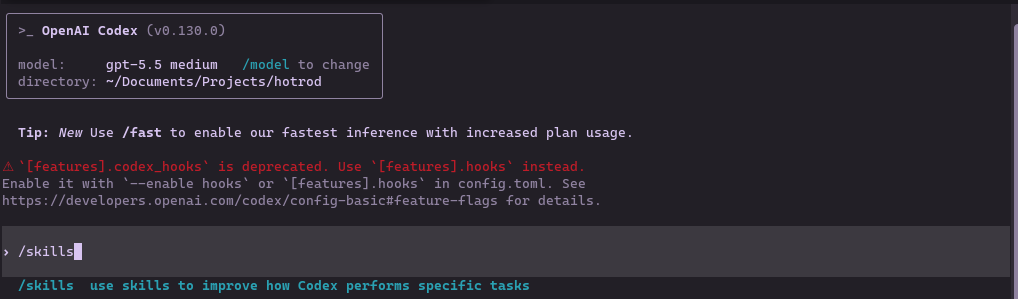
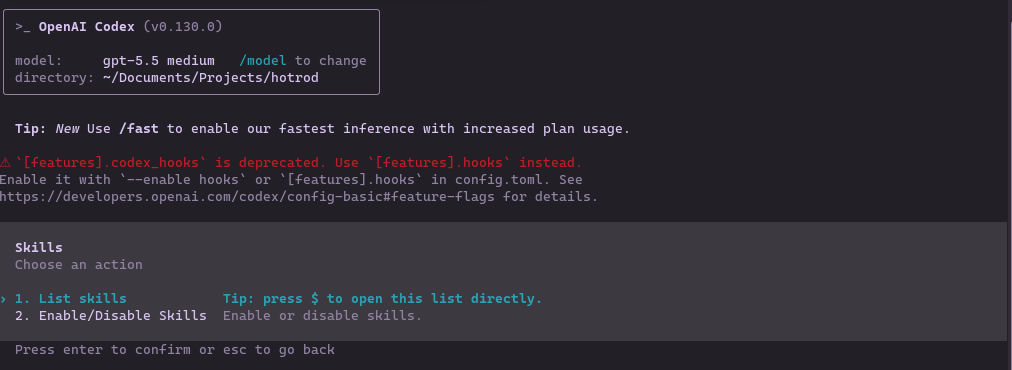
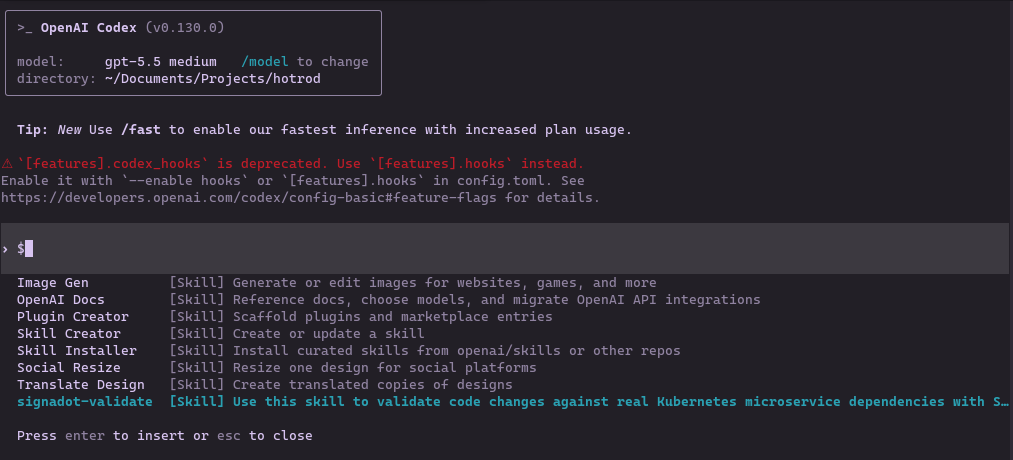
You should see signadot-validate in the list. Codex will load it automatically when it is relevant to the task.
Add Signadot MCP Server
Configure Codex to use the Signadot MCP server:
This command:
- Adds the
signadotMCP server to Codex's global configuration - Points to the
signadot mcpcommand
Verify MCP Connection
Verify the Signadot MCP server is registered:
Launch Codex
Start Codex for the first time:
First-time authentication flow:
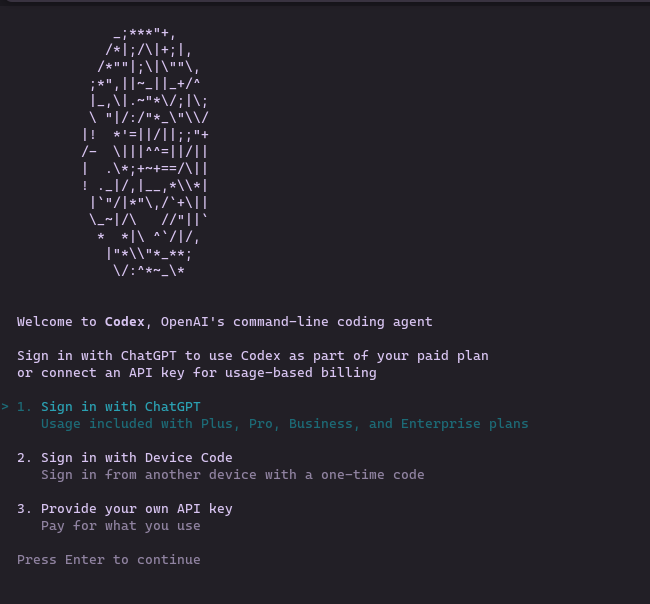
The CLI opens your browser for ChatGPT authentication and consent.
Return to your terminal to see the login confirmation:
Press Enter to continue into Codex.
You'll see the main Codex prompt:
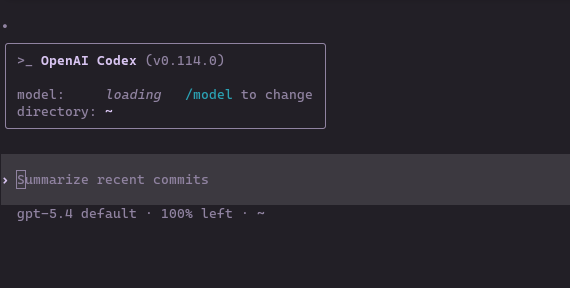
To confirm the Signadot MCP tools are available, run /mcp inside Codex:
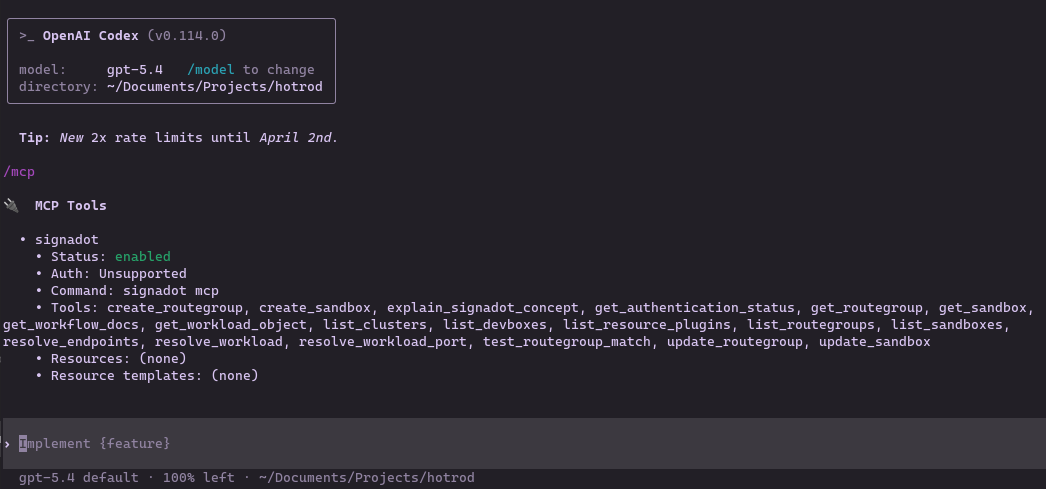
You should see the full list of Signadot tools including create_sandbox, list_clusters, list_sandboxes, get_sandbox, and resolve_workload_port among others.
Enable Full Access
Codex runs in a restricted mode by default. Full Access is needed so the agent can call signadot and read configuration outside the repo directory without repeatedly asking for confirmation. Before starting the autonomous workflow, switch Codex to Full Access mode for this session.
Inside Codex, run:
Select Full Access:

Then verify Codex can reach local tooling:
If these checks fail, revisit Full Access before proceeding.
For detailed setup and CLI reference, see the Codex CLI documentation.
Step 2: The Autonomous Workflow
Ensure your prerequisites are still healthy before starting this workflow, especially that signadot local connect is running in the background.
We will now use Codex to drive the full write-run-validate-iterate loop via natural language in the terminal.
Navigate to the HotROD Repository
Launch Codex in the repo:
When prompted, trust the workspace:

The Objective
Our goal is to have Codex modify the route verification flow and prove the change works through a real Signadot sandbox. You add scripts/verify-route-seconds.sh in your clone; that script defines the success criteria.
Codex will:
- Create a local-dev sandbox called
local-route-devfor thehotrod/routeDeployment (or reuse it if it already exists). - Start the route service locally using the sandbox environment.
- Run the test script against the sandbox routing key.
- Inspect failures, apply a fix (to the verification script or the route service code), and retry until the test passes.
Add the Test Script
Create the following script in your HotROD clone. Upstream HotROD does not ship this file. Codex reads and runs it and treats it as the source of truth for "done".
The verifier will fail on the first run: it expects an etaUnit field that is not returned by the FindRoute response. Codex should diagnose the mismatch and fix the script.
You can commit this script if you like; Codex will read it to understand the success criteria.
Prompt 1: Context and Cleanup
We want a clean slate to avoid state conflicts from previous sessions, and we want Codex to understand the success criteria before it starts running anything.
Check my Signadot setup, clean up any old sandboxes, and read
scripts/verify-route-seconds.sh so you understand the success criteria.
Codex will use the Signadot MCP tools to verify authentication, list your cluster, inspect any existing sandboxes, and read the verifier script.
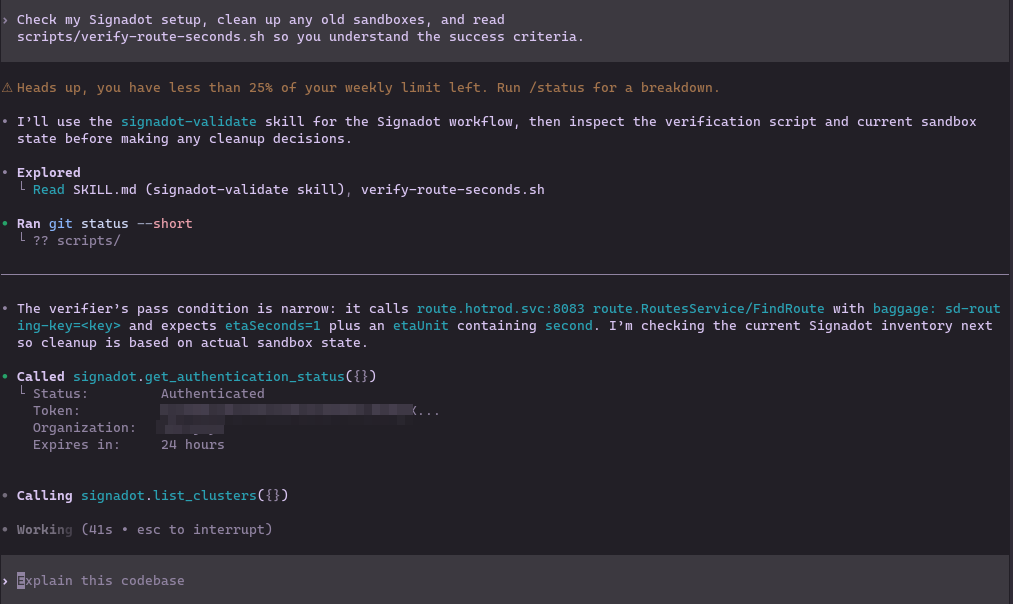
You should see Codex confirm your cluster name, the state of any existing sandboxes, and that it has read and understood the verifier's success criteria.
Prompt 2: The Autonomous Loop
Now give Codex the full objective and hand off control. The key is to provide a deterministic exit condition: the test script, so Codex can iterate without waiting for human feedback at each step.
Create a local-dev sandbox called local-route-dev that maps hotrod/route
(Deployment) port 8083 to localhost:8083 on this devbox. If it already exists,
reuse it instead of creating a duplicate.

Then:

1. Discover the sandbox routing key.
2. Start the local route service with the sandbox env.
3. Run scripts/verify-route-seconds.sh <routing-key>.
4. If the test fails, inspect the error output and logs, decide whether the
 failure is in the route service or in the verifier script, make the minimal
 code change needed, and rerun the test.
5. Stop only when scripts/verify-route-seconds.sh exits successfully and then
 summarize:
 - the sandbox you used,
 - the code change you made,
 - the exact passing command.
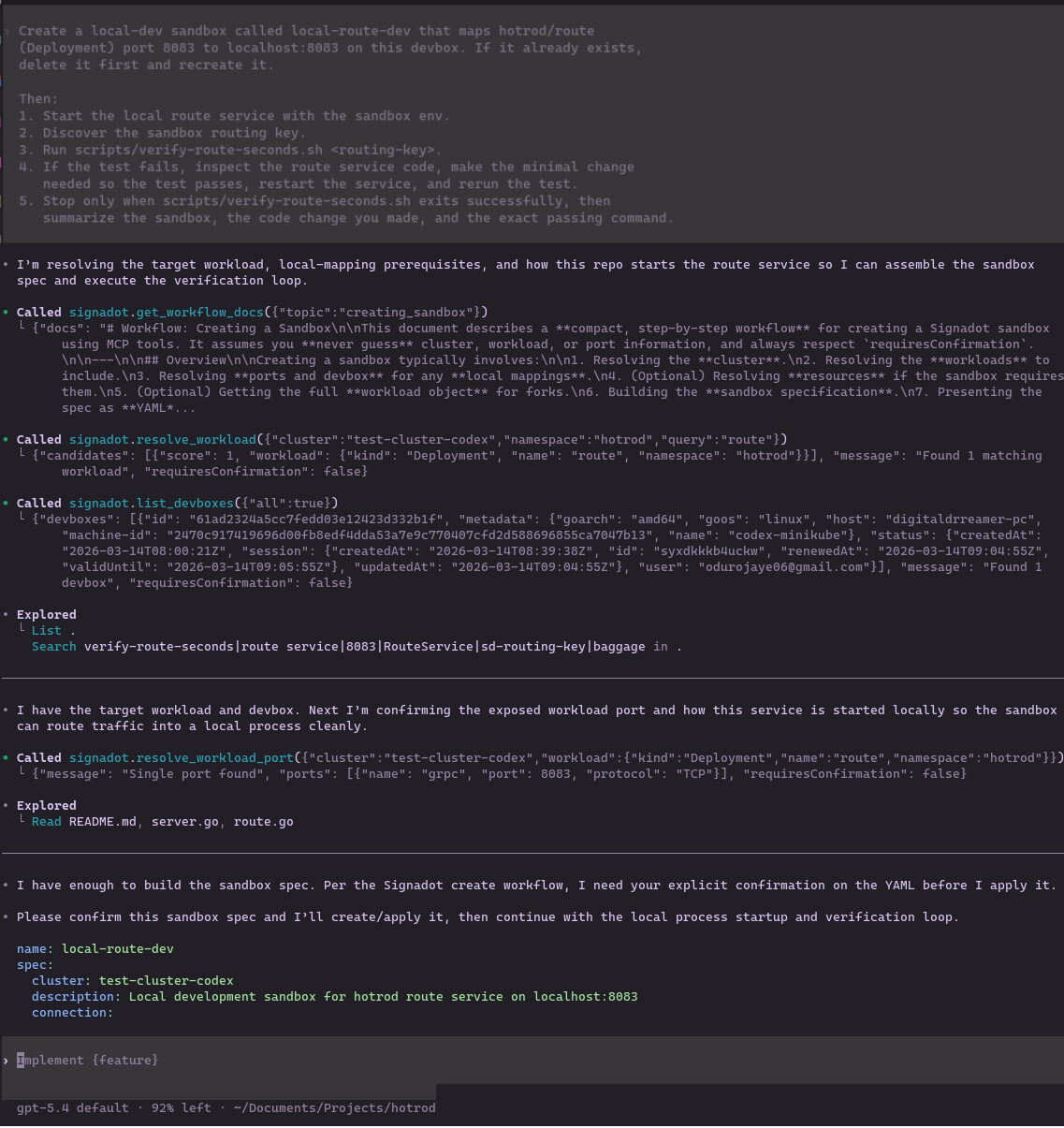
Codex will use the Signadot MCP tools to create the sandbox (or reuse it if it already exists), then:
- Resolve the sandbox spec and plan the execution path (calling
create_sandboxwhen the sandbox is missing)
- Pull the sandbox environment via
signadot sandbox get-env
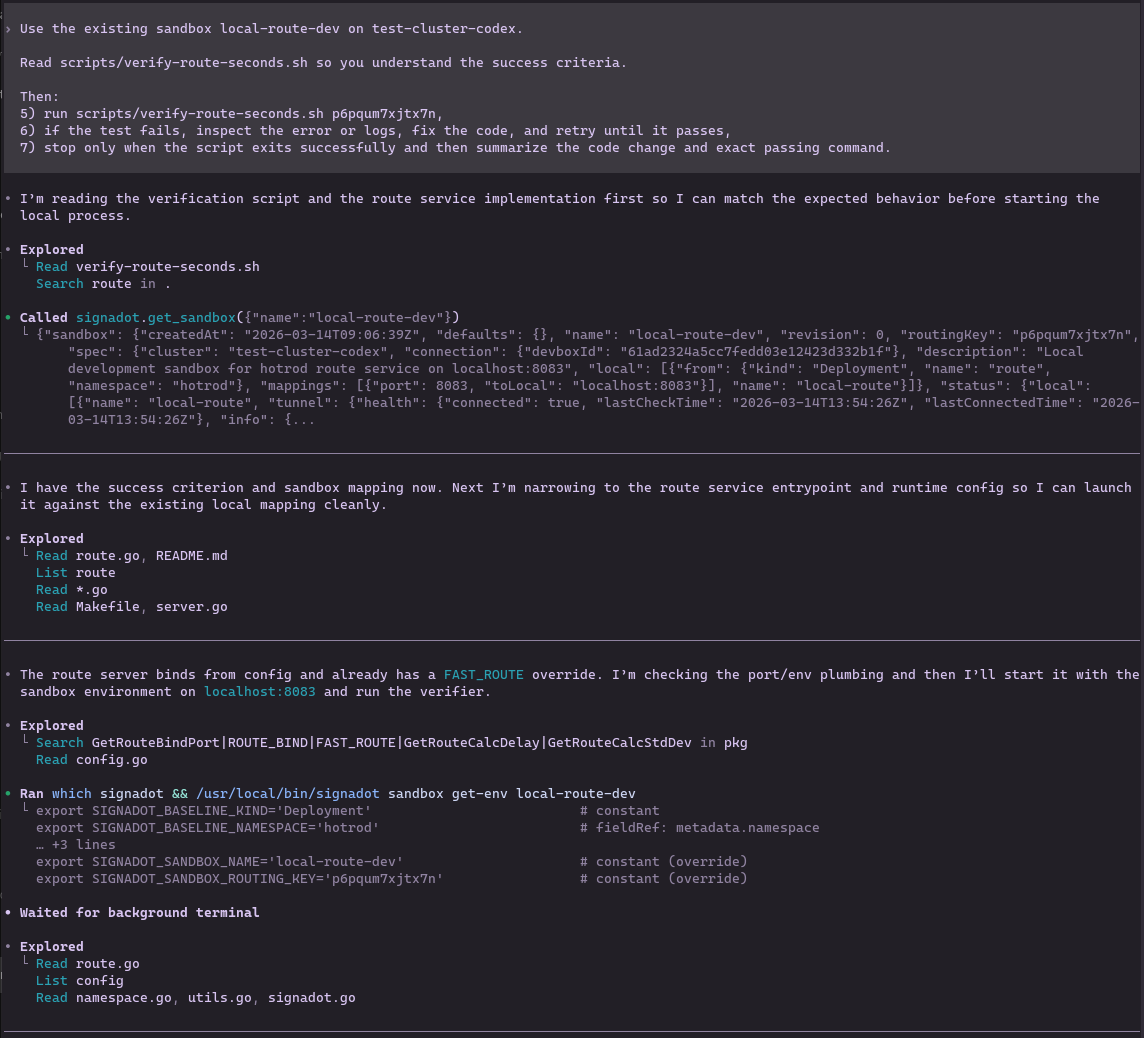
- Read the repository to understand how to start the route service locally
- Start the local route service on
localhost:8083with the sandbox environment - Run
scripts/verify-route-seconds.shagainst the sandbox routing key - If the test fails, decide whether the failure is in the route service or in the verifier script, apply the minimal code change needed (service code or script), and retry until the verifier exits successfully
The Agent Action
This is where the closed loop runs. Here is what you will see on your screen.
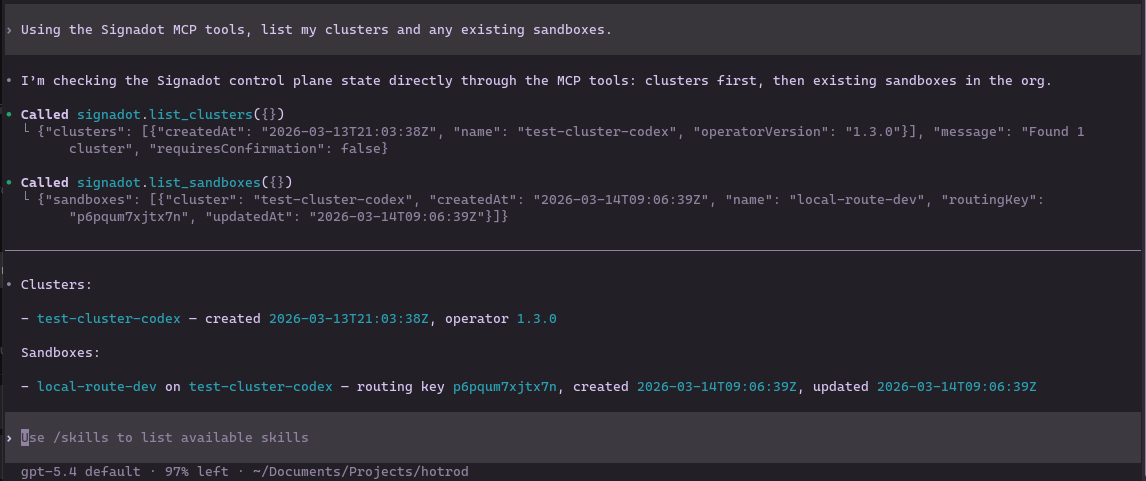
Codex first resolves the cluster and sandbox state through MCP:
If the first test run fails, Codex will analyze the error output, determine the root cause, apply a targeted fix, and rerun the script. During testing, the first failure was in the verification script rather than the route service: the verifier expected an etaUnit field (and a "second" unit string) that does not exist in the actual FindRoute response. Codex diagnosed the schema mismatch, updated the script to validate the real success condition (etaSeconds == 1 when FAST_ROUTE=1 is set), and reran the verification. In other runs, the fix might be in the route service code; the loop is the same.
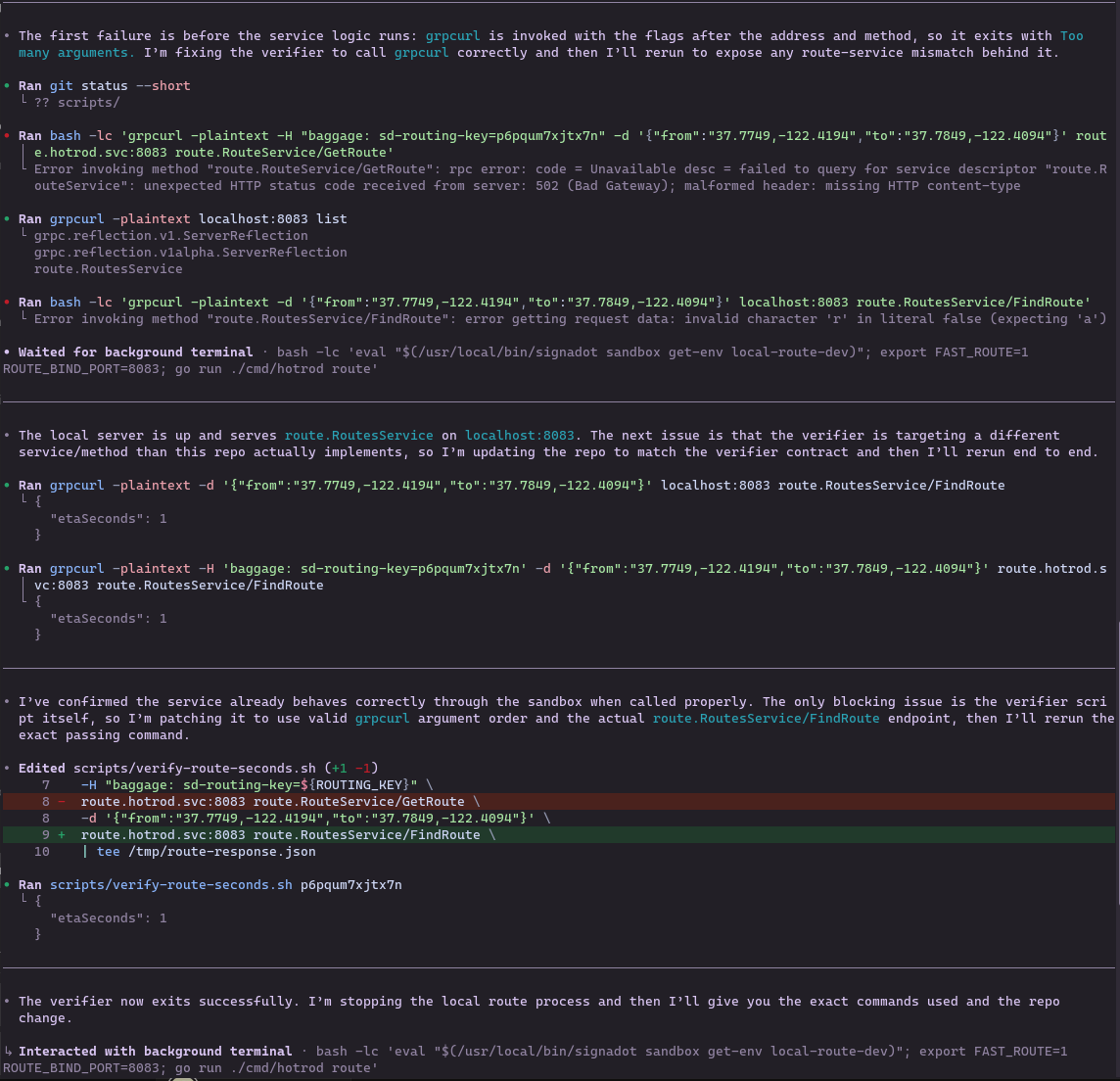
Once the verifier passes, Codex will summarize the result:
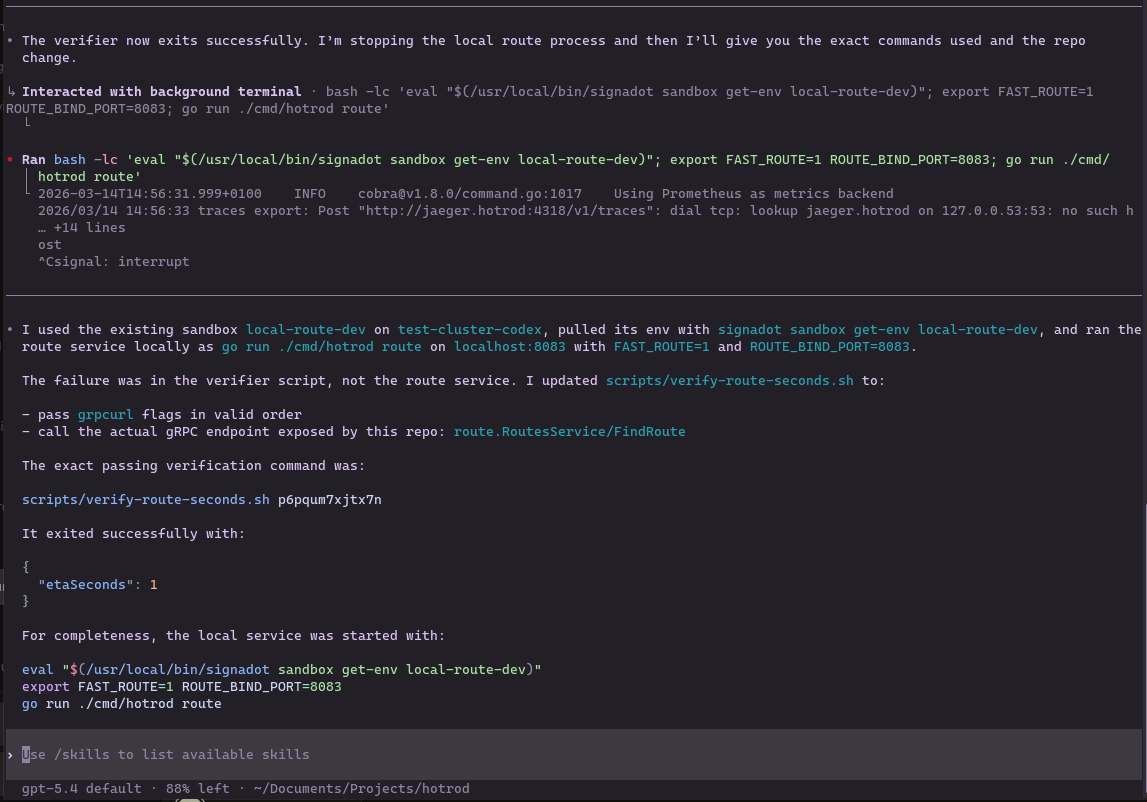
Codex will tell you the sandbox it used, the exact change it made, and the exact passing command.
Optional follow-up: In a later run you could have Codex modify the route service itself (e.g. in cmd/route/route.go) to return ETA in seconds so that scripts/verify-route-seconds.sh passes. The same loop applies: run the test, fix what fails, retry until the script exits successfully.
For this tutorial, Codex's final success summary is the proof of the closed loop: it includes the sandbox used, code change made, and exact passing command.
Troubleshooting
This section lists Codex-specific issues for this workflow. For general Kubernetes, operator, routing, or local-connect setup problems, see Local development and Troubleshooting.
Codex gets stuck looping or hits a token/context limit
If Codex starts repeating the same actions, making no progress, or the session hits a token/context limit, treat it like a normal debugging loop: preserve state, tighten the objective, and continue with smaller steps.
Fix:
-
Stop the local service (if it is flapping), but keep Local Connect running.
- Leave
signadot local connectrunning. - If the route service is running locally, stop it with Ctrl+C so you can restart cleanly after a change.
- Leave
-
Ask Codex for a state snapshot. For example:
Summarize current state in bullets: - sandbox name + routing key - last failing command (exact) - last stderr/stdout (verbatim) - files changed Then propose the single smallest next change to try. -
Restart the loop with guardrails. Start a fresh Codex session and paste:
- The state snapshot from step 2
- The current contents of
scripts/verify-route-seconds.sh - The exact failing command/output
Then use a tighter prompt like:
You have up to 3 attempts. Each attempt must:
1) run scripts/verify-route-seconds.sh <routing-key>
2) make at most one minimal change
3) rerun the script and show the full output
Stop immediately when it exits 0.
Codex cannot access local tooling or MCP behaves inconsistently
If Codex fails to execute shell commands, cannot read local config, or produces different behavior than your normal terminal, its permission mode is likely set to Default.
Fix: Inside Codex, run /permissions and select Full Access before starting the autonomous workflow. This is required for Codex to reliably interact with local tools and MCP-driven commands.
Conclusion
In this tutorial, you have successfully replaced a complex manual testing workflow with an autonomous agent loop that validates its own changes against a real cluster environment. You learned how to:
- Use Local Connect and a registered devbox (see Local development) so cluster traffic can reach your laptop.
- Keep Local Connect running and confirm routing before handing work to the agent.
- Install the
signadot-validateskill so Codex has a built-in, repeatable validation loop against real cluster dependencies. - Install Codex MCP to bridge the AI agent with the Signadot CLI.
- Enable Full Access so Codex can reliably interact with local tooling and MCP-driven workflows.
- Give Codex an objective and a test script and let it create the sandbox, run the service, validate behavior, inspect failures, and iterate until the test passes.
Pairing AI agents with ephemeral sandbox environments means the agent is not just generating code. It is also validating its own work against realistic cluster dependencies without risking the shared environment. This is what accelerates the software development lifecycle: the agent reaches a verified, merge-ready state without a single manual intervention in the loop.