Enabling Plan Runner Groups
Plan Runner Groups are an alpha feature with requirements on cluster nodes for running OCI based actions. While many default Kubernetes clusters work without additional intervention, some may require intervention to enable user namespaces on the relevant nodes for supporting OCI based actions in Plans. If you'd like more information, please reach out on our community Slack or at info@signadot.com.
Overview
Plan Runner Groups (PRGs) are turned on per cluster, from the Signadot dashboard. There's nothing else to configure: the runner ships with sensible defaults, and Signadot adapts the underlying deployment to your environment as needed.
Enable from the dashboard
Open the Managed Runners page in your Signadot dashboard and find your cluster in the table. The Plan Runners column tells you where things stand:
N/N runner readymeans the Plan Runner Group is up and serving plans on that cluster.Unsupported operatormeans the Signadot Operator on that cluster is older than the minimum version that supports Plan Runner Groups. Upgrade the operator and the status will clear on its own.
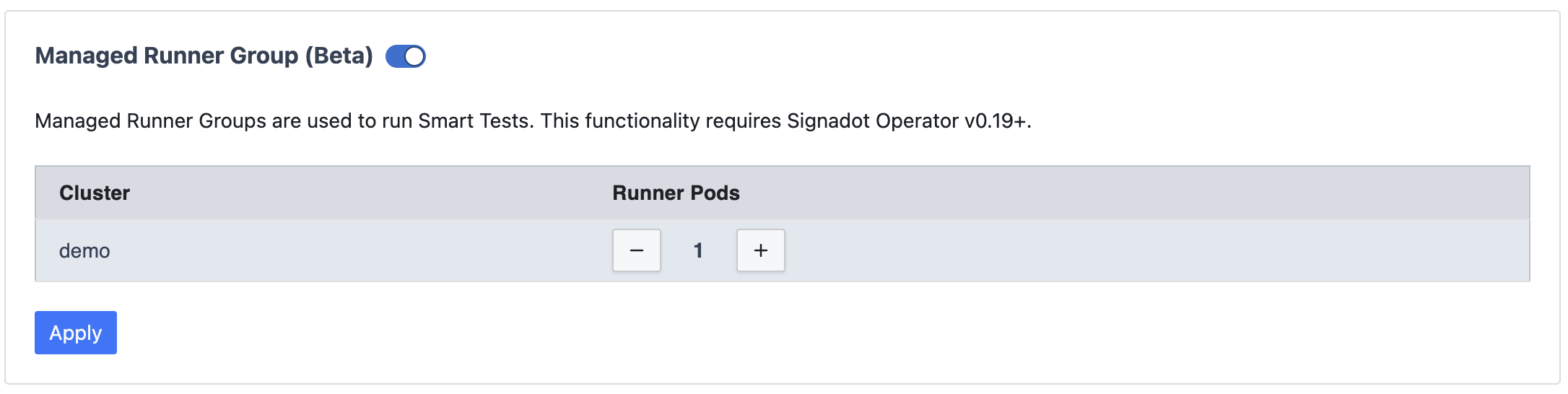
Plan Runner Groups aren't available on Playground Clusters. You'll need a Kubernetes cluster with the Signadot Operator installed.
The Plan Runner Actions panel on the same page lets you choose which actions are available to plans running on your clusters.
If the operator is current but the cluster still won't go ready, it's almost always a node-level prerequisite. See Node requirement below.
Node requirement
Many current Kubernetes node bases satisfy the PRG node prerequisite out of the box. A few require a one-line node-level adjustment (sysctl, AMI userdata, or LSM policy update); those environments are listed under Setting up support for OCI based actions.
The requirement itself is that worker nodes permit unprivileged user-namespace creation by non-root, no-capability processes. Plan steps run inside a per-step rootless sandbox on the runner pod, which depends on this. If the prerequisite is not met, OCI-based plan steps fail at start with a clear "operation not permitted" error rather than degrading silently.
Setting up support for OCI based actions
The simplest path is to enable the PRG and run a plan with an OCI-based action. If the node pool meets the prerequisite, the step runs as expected; if not, the step fails at start with an "operation not permitted" error. The sub-sections below cover the environments where this is known to occur and the matching one-line fix. To verify a node without running a real plan --- for example, when the cluster admin wants to confirm a fix landed --- see How to verify a node with a probe pod at the end.
EKS with Bottlerocket
Bottlerocket nodes default user.max_user_namespaces to 0, which prevents
unprivileged user-namespace creation. Raise the limit by adding the following
to the launch template userdata for the node group running the PRG:
[settings.kernel.sysctl]
'user.max_user_namespaces' = '15000'
The quotes around the dotted key are required. Without them, Bottlerocket's
settings API treats user.max_user_namespaces as a nested table and rejects
the configuration with invalid type: map, expected a string.
OpenShift
OpenShift clusters typically need two adjustments. Both are familiar OpenShift node-customization steps and can be rolled out via the standard MachineConfig workflow:
- Raise
user.max_user_namespaceson worker nodes (some RHCOS releases ship with it set to0). - Ensure the SELinux policy for
container_tincludes theuserns_createpermission. The cleanest path is to updatecontainer-selinuxto≥ 2.232.0; alternatively, ship a local.tepolicy module that grantsuserns_createtocontainer_t.
Local development (Minikube, kind, Docker Desktop)
Most local Kubernetes setups satisfy the prerequisite without intervention:
- Minikube
--driver=kvm2or--driver=virtualbox: works out of the box. - Minikube
--driver=dockeron macOS, or Docker Desktop's built-in Kubernetes on macOS: works out of the box in our testing. - kind: inherits the host kernel; behaves like Minikube
--driver=dockeron the same host.
The one common exception is using the Docker driver (Minikube or kind) on a recent Ubuntu host (23.10+), where AppArmor restricts unprivileged user-namespace creation. If you hit the "operation not permitted" error in that case, run on the host:
sudo sysctl kernel.apparmor_restrict_unprivileged_userns=0
(Local clusters all inherit the kernel of the host they run on, so the host's user-namespace policy is what determines pass or fail.)
Considerations
User namespace support is a standard primitive on modern Linux kernels and a
foundation of rootless container security --- it lets containers run as
unprivileged processes without relying on extra capabilities. Some hardened
node images disable it by default under a "disabled-if-not-used" posture;
enabling it for the PRG node pool is a security-positive change, not an
expansion of attack surface. It is also where Kubernetes itself is headed:
pod-level user namespaces (hostUsers: false) graduated to GA in
Kubernetes 1.331 and rely on the same node-level prerequisite.
How to verify a node with a probe pod
This section is for cluster admins who want to confirm the node-level
prerequisite white-box, without enabling a PRG or running a plan. The
probe below mirrors the current PRG pod template --- a non-root
container with seccompProfile: Unconfined --- and attempts the same
unshare(CLONE_NEWUSER) the plan-runner does. On a node that meets the
prerequisite it prints OK; if any kernel- or LSM-level gate denies, it
prints FAILED.
Save as prg-probe.yaml:
apiVersion: v1
kind: Pod
metadata:
  name: prg-probe
spec:
  restartPolicy: Never
  securityContext:
    runAsNonRoot: true
    runAsUser: 3377
    runAsGroup: 3377
  containers:
  - name: probe
    image: alpine:3.19
    securityContext:
      allowPrivilegeEscalation: false
      readOnlyRootFilesystem: true
      seccompProfile:
        type: Unconfined
    command: ["sh", "-c"]
    args: ["unshare -U echo OK || echo FAILED"]
Run it and read the output:
kubectl apply -f prg-probe.yaml
kubectl wait --for=jsonpath='{.status.phase}'=Succeeded \
  pod/prg-probe --timeout=60s
kubectl logs prg-probe
kubectl delete pod prg-probe
OK means the node pool supports OCI-based plan steps under the current
PRG deployment. FAILED means one of the kernel- or LSM-level gates is
denying --- see Setting up support for OCI based actions
for the matching one-line fix. If your environment isn't listed there or
the fix doesn't apply, send us the probe output and we will pinpoint
which gate is involved.