Xata
- A Kubernetes cluster (minikube works fine for this tutorial)
kubectlconfigured to access your cluster- A Xata account with a database created
- A Signadot account with the operator installed
- The
xataCLI installed and authenticated - The
signadotCLI installed and authenticated psql(PostgreSQL client) for database operations
Xata requires initial database creation through the dashboard. Once that exists, all subsequent branch operations work via CLI.
Overview
Ephemeral environments solve the "it works on my machine" problem for application code. But what about the database? When five developers test against the same staging database, test data collides, schema migrations conflict, and debugging becomes a nightmare. The environment might be ephemeral, but the shared database state is not.
Xata solves this with copy-on-write database branching. Each branch inherits the full schema and data from its parent but operates in complete isolation. Writes to a branch never affect the parent. Combined with Signadot's sandbox isolation for application workloads, you get true full-stack isolation: every sandbox gets its own forked pods and its own database branch.
This tutorial demonstrates how to automate this integration. When a Signadot Sandbox spins up, a Resource Plugin creates an isolated Xata branch. When the sandbox terminates, the branch is deleted. No manual intervention. No leftover resources.
How It Works
The integration relies on two components:
Xata Database Branching: Xata implements branching at the storage layer using copy-on-write semantics. Creating a branch takes seconds regardless of database size because no data is physically copied until a write occurs. Only diverging blocks are duplicated. A 100GB database branches just as fast as a 1GB one.
Signadot Resource Plugins: Resource Plugins extend Signadot's sandbox lifecycle with custom provisioning logic. When a sandbox starts, the plugin executes a create workflow. When the sandbox terminates, it executes a delete workflow. Outputs from the create workflow (such as database connection strings) can be injected directly into sandbox pods as environment variables.
The Integration Flow:
Project Structure
Clone the example repository:
git clone https://github.com/signadot/examples.git
cd xata-branching-tutorial
The repository contains everything needed for this integration:
xata-branching-tutorial/
├── db/
│   ├── schema.sql              # Table definitions
│   └── seed.sql                # Sample data
├── pkg/users-service/
│   ├── app.js                  # Express.js API
│   └── package.json
├── docker/
│   └── users-service.Dockerfile
├── k8s/
│   ├── namespace.yaml
│   ├── deployment.yaml
│   └── service.yaml
├── signadot/
│   ├── xata-branch-plugin.yaml # Resource Plugin
│   └── users-sandbox.yaml      # Sandbox specification
└── Makefile
Step 1: Configure Xata
Check Prerequisites
First, verify that all required tools are installed:
make setup
The command checks for kubectl, xata, signadot, docker, psql, and jq. It also verifies that you're authenticated with both Xata and Signadot.
Initialize Your Project
Run xata init:
xata init
The CLI prompts you for a database name. If the database doesn't exist, the CLI offers to create it for you. For the purpose of this tutorial, let’s use signadotDb:
Expected output:

Verify Your Starting Point
Before we create any sandboxes, confirm that only the main branch exists:
xata branch list
Expected output:

Only main exists at this point. The sandbox will create an additional branch later.
Create Schema and Seed Data
The Makefile automates schema creation and data seeding:
make db-setup
The command runs db/schema.sql and db/seed.sql against your main branch. The schema creates a users table:
CREATE TABLE users (
    id SERIAL PRIMARY KEY,
    name TEXT NOT NULL,
    email TEXT NOT NULL UNIQUE,
    created_at TIMESTAMP WITH TIME ZONE DEFAULT NOW(),
    updated_at TIMESTAMP WITH TIME ZONE DEFAULT NOW()
);
Verify the data:
make db-connect
Then run:
SELECT * FROM users;
Expected output:
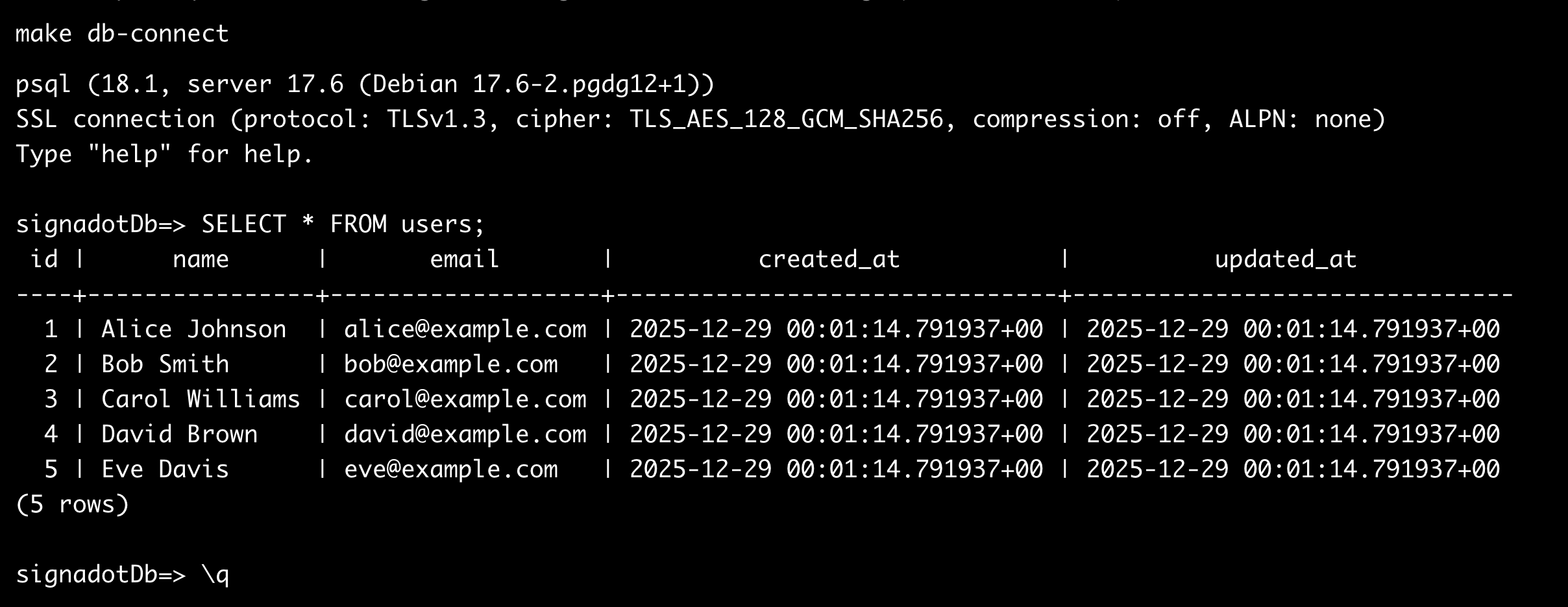
These five users exist in the main branch. Any branch created from main will inherit this data through copy-on-write.
Step 2: Deploy the Baseline Environment
The baseline represents your shared staging environment, the state that sandboxes fork from.
Build the Container Image
If using minikube, point your shell to minikube's Docker daemon:
eval $(minikube docker-env)
Build the image:
make build
Deploy to Kubernetes
Deploy the namespace, secret, deployment, and service:
make deploy
The command creates a db-creds secret with your Xata connection string, applies the Kubernetes manifests, and waits for the deployment to become ready.
The deployment includes the DevMesh sidecar annotation for Signadot routing.
Verify the Baseline
Test the deployment:
make test
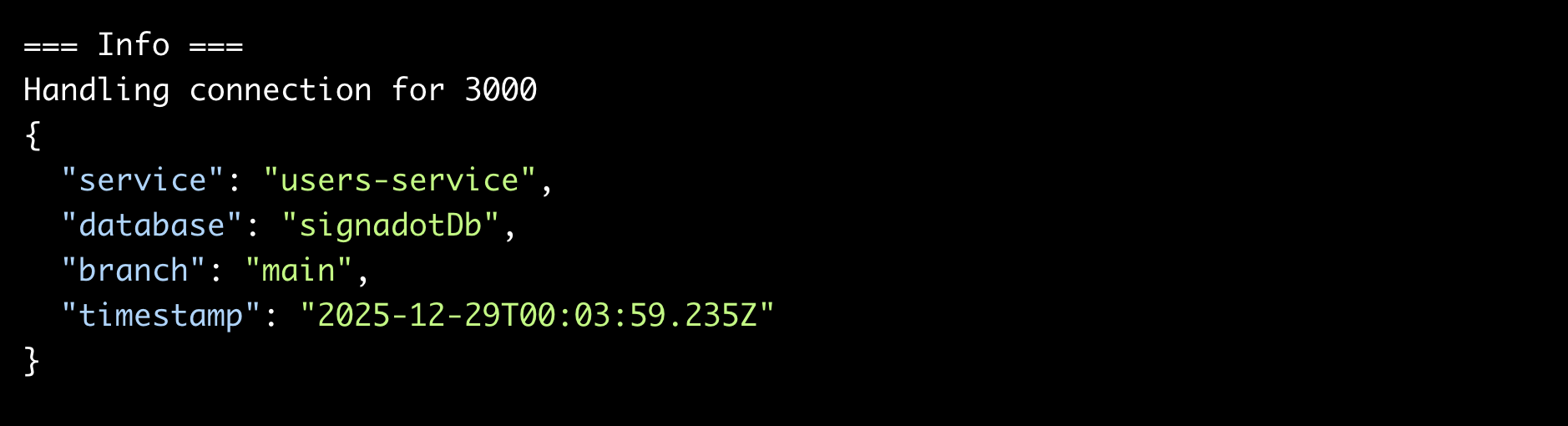
The command port-forwards to the service and queries the /health, /users, and /info endpoints.
You should see all five seed users and confirmation that the service connects to the main branch:
Step 3: Install the Signadot Resource Plugin
The Resource Plugin handles the integration between Signadot and Xata. It creates a database branch when a sandbox starts and deletes it when the sandbox terminates.
Create Credentials and Install Plugin
The Makefile reads credentials from your .xata directory and creates the Kubernetes secret automatically:
make plugin-secret
The command:
- Reads
XATA_ORG_IDandXATA_PROJECT_IDfrom.xata/project.json - Reads
XATA_DATABASE_NAMEfrom.xata/branch.json - Prompts for
XATA_API_KEYif not already set - Creates the
xata-credentialssecret in thesignadotnamespace - Installs the Resource Plugin
Note that this secret is only for API authentication. The database connection string flows through the plugin's output mechanism and gets injected directly into sandbox pods; no manual secret wiring required.
Verify the plugin installation:
signadot resourceplugin get xata-branch
Step 4: Create a Sandbox
The sandbox specification in signadot/users-sandbox.yaml ties everything together.
The Sandbox Specification
Three sections matter:
Resources: Requests a Xata branch from the xata-branch plugin:
resources:
  - name: usersDb
    plugin: xata-branch
    params:
      parent-branch: "main"
Forks: Creates a copy of the users-service deployment with a modified DATABASE_URL environment variable. The value comes from the resource plugin's output:
forks:
  - forkOf:
      kind: Deployment
      namespace: demo
      name: users-service
    customizations:
      env:
        - name: DATABASE_URL
          valueFrom:
            resource:
              name: usersDb
              outputKey: provision.connection-string
The outputKey format is {step-name}.{output-name}. Since the create workflow's step is named provision and the output is named connection-string, the key is provision.connection-string.
Endpoints: Creates a preview URL for external access:
endpoints:
  - name: users-api
    host: users-service.demo.svc
    port: 3000
    protocol: http
Create the Sandbox
Use the Makefile target:
make sandbox-create
The command automatically detects your cluster and creates a sandbox named xata-test. Signadot executes the following sequence:
- Invokes the
xata-branchplugin's create workflow - The plugin creates branch
sb-xata-testin Xata - Signadot captures the connection string output
- Signadot creates a forked
users-servicepod with the branch-specificDATABASE_URL - Signadot configures routing to the preview endpoint
Wait for the sandbox to become ready. The CLI shows progress and outputs the preview URL.
Step 5: Verify Data Isolation
The sandbox now has its own Xata branch. Changes made through the sandbox endpoint affect only that branch.
Check the Branches in Xata
List branches via CLI:
xata branch list
Output now shows two branches:
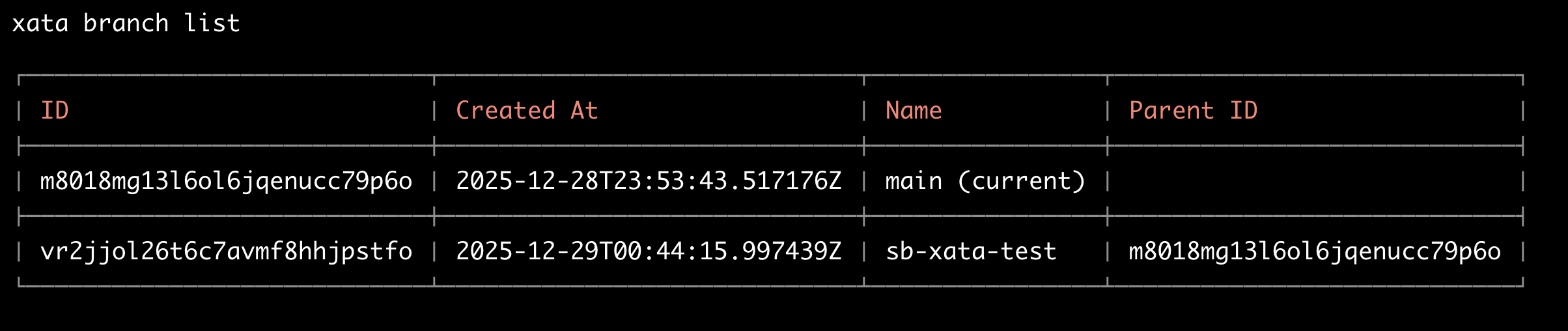
The sb-xata-test branch was created by the Resource Plugin.
Query the Sandbox
Preview URLs require authentication with a Signadot API key. Generate one from app.signadot.com under Settings > Service Accounts (keys are issued under a service account), then export it:
export SIGNADOT_API_KEY="your-api-key-here"
Query the sandbox endpoints:
curl -H "signadot-api-key: ${SIGNADOT_API_KEY}" \
  "https://users-api--xata-test.preview.signadot.com/users" | jq .
The sandbox serves the same five seed users because it inherited them from main.
Check which branch the sandbox connects to:
curl -H "signadot-api-key: ${SIGNADOT_API_KEY}" \
  "https://users-api--xata-test.preview.signadot.com/info" | jq .
Output:
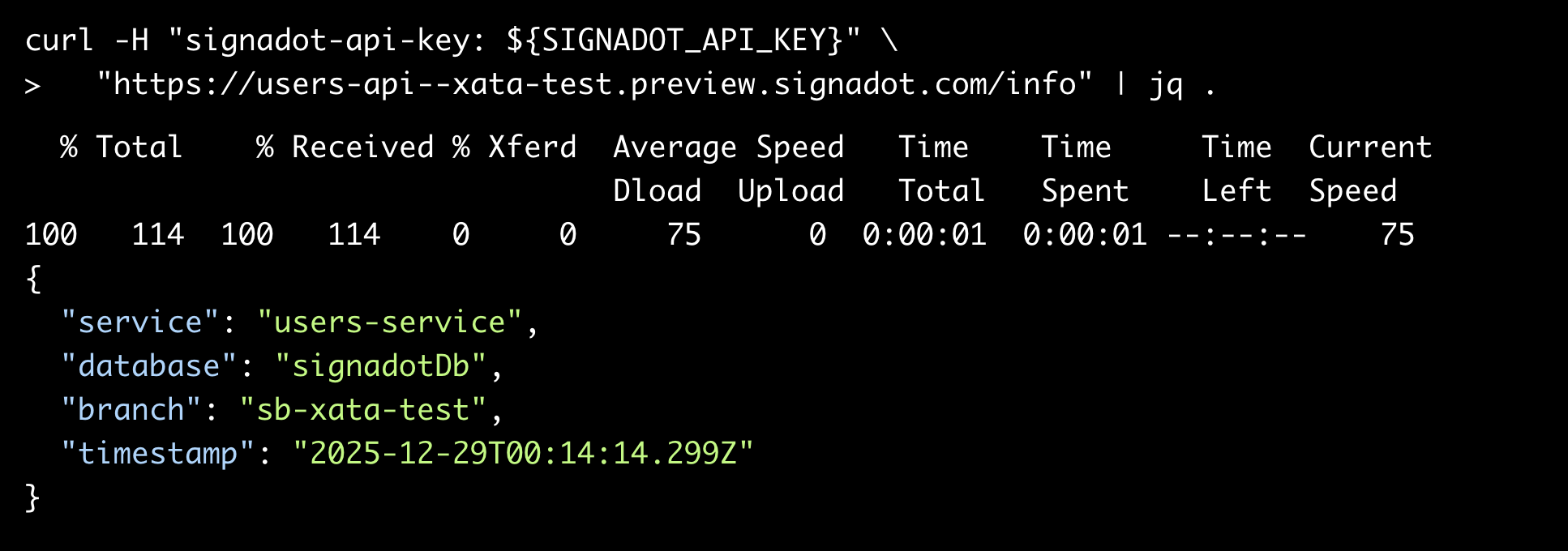
The sandbox connects to the sb-xata-test branch.
Create Test Data in the Sandbox
Add a user that only exists in the sandbox branch:
curl -X POST \
  -H "Content-Type: application/json" \
  -H "signadot-api-key: ${SIGNADOT_API_KEY}" \
  -d '{"name": "Sandbox User", "email": "sandbox@test.com"}' \
  "https://users-api--xata-test.preview.signadot.com/users" | jq .
Query the sandbox again:
curl -H "signadot-api-key: ${SIGNADOT_API_KEY}" \
  "https://users-api--xata-test.preview.signadot.com/users" | jq .
You now see six users: the five from seed data plus "Sandbox User".
Confirm Baseline Is Unchanged
Query the baseline deployment:
make test
The baseline shows only five users. "Sandbox User" does not exist in main. The branches are fully isolated.
You can also verify directly against Xata:
# Query main branch
make db-connect
# Run: SELECT * FROM users;
# Shows 5 users

# Query sandbox branch (switch first)
xata branch checkout sb-xata-test
make db-connect
# Run: SELECT * FROM users;
# Shows 6 users

# Switch back to main
xata branch checkout main
Step 6: Cleanup
Delete the sandbox:
make sandbox-delete
Signadot executes the delete workflow, which runs xata branch delete for sb-xata-test. The branch and all its data are removed.
Verify the branch is gone:
xata branch list
Output:

Output shows only main. The sb-xata-test branch no longer exists.
To remove all resources (sandbox, plugin, secrets, and Kubernetes deployments):
make clean
Cost Considerations
Xata's copy-on-write branching means you only pay for storage that diverges from the parent. A branch that modifies 1% of the data uses roughly 1% additional storage, not a full copy. Compute scales to zero when branches are inactive.
Signadot sandboxes share baseline cluster resources. Forked pods reuse existing infrastructure. You don't provision separate Kubernetes clusters for each environment.
Branch creation and deletion both complete in few minutes. There's no waiting for database restores or provisioning delays.
Conclusion
Database isolation was the missing piece in ephemeral environments. Combining Xata's copy-on-write branching with Signadot's sandbox orchestration fills that gap. Each developer gets an isolated application layer and an isolated database for every pull request.
The Resource Plugin handles the entire lifecycle automatically. Create a sandbox, get a branch. Delete the sandbox, clean up the branch. No scripts to maintain. No orphaned resources.